
Record your practice HANDS-FREE
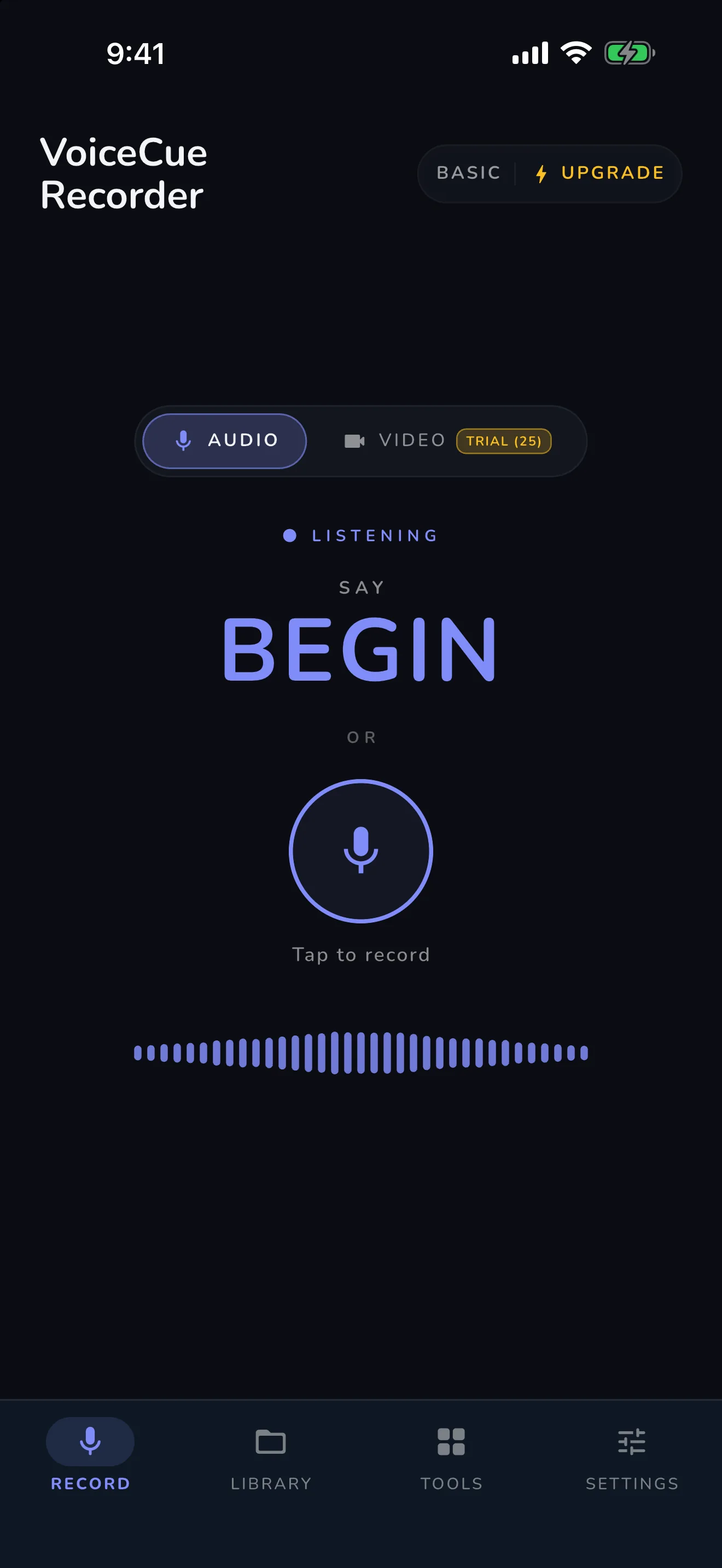
Just say “BEGIN.”
VoiceCue is the voice-controlled recorder built for musicians and music students. It sits on your music stand, listens for your commands, and records — so your hands never leave the instrument. Free on iPhone, iPad and Android, with one-time Premium ($2.99) and Pro ($9.99) unlocks — no subscription, and all voice processing runs on-device.
Free · One-time purchase to unlock more — no subscription, ever
Voice AI, on-device
Listen, understand, act — without touching the phone.
Listen
On-device keyword-spotting listens for your commands, with no internet and no account.
Understand
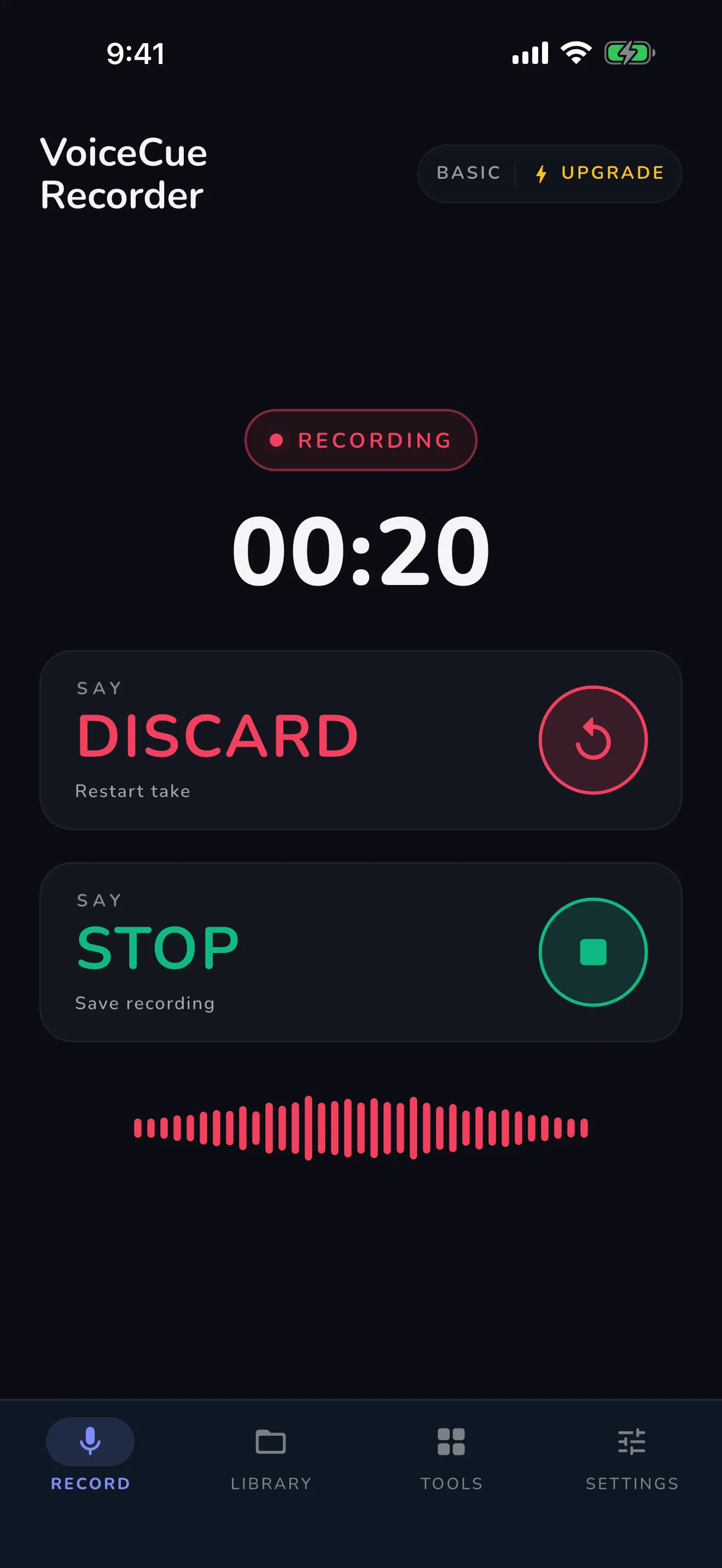
Commands are understood in context — BEGIN starts, DISCARD retakes, STOP saves.
Act instantly
The take starts, restarts, or saves right away, so posture and playing never break.
Three words run the whole session
No tapping through menus, no putting the instrument down, no breaking your posture to reach a screen.
“BEGIN”
Starts audio or video recording instantly — or starts playback and timers inside the practice tools.
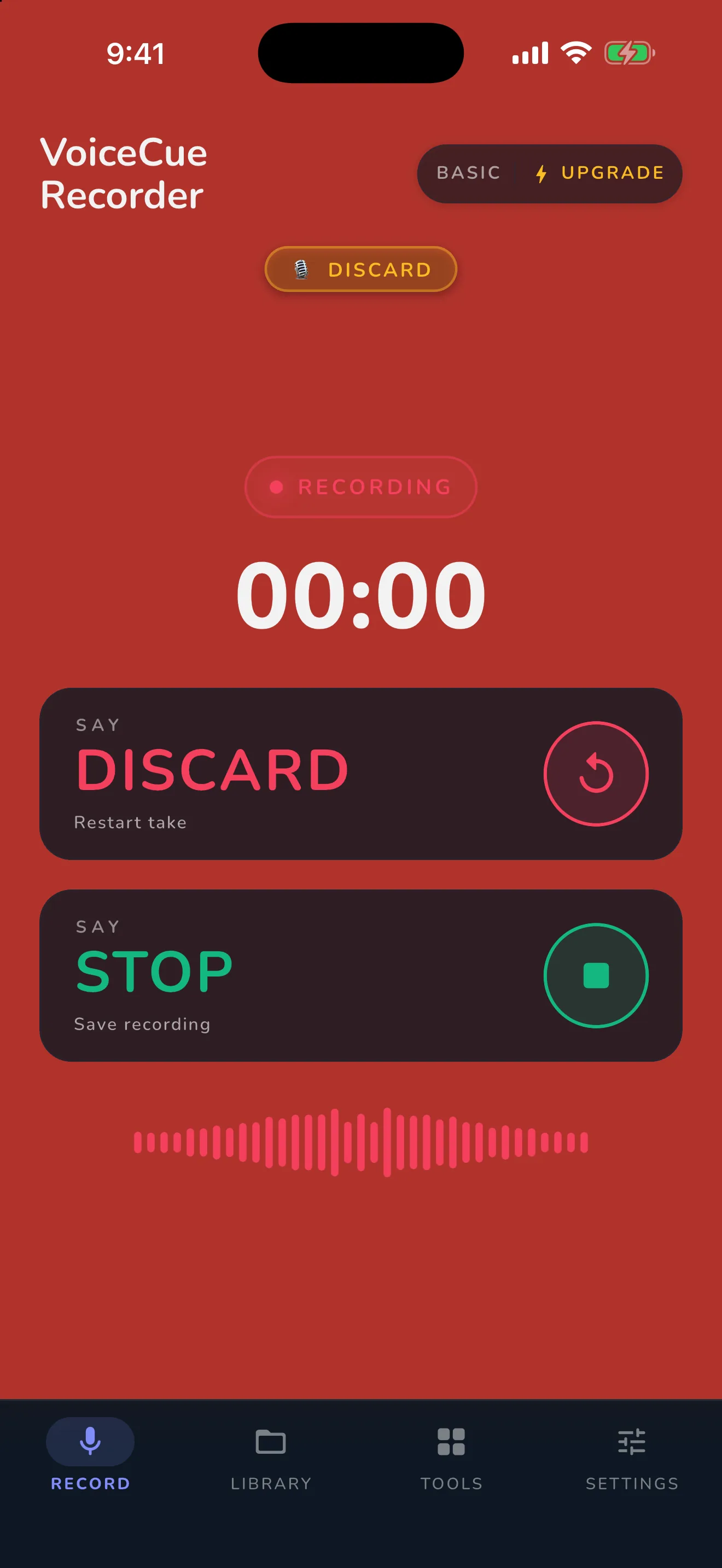
“DISCARD”MOST USED
Flub a note? Discard the take and a fresh recording starts instantly. Made for retakes — the command musicians reach for most.
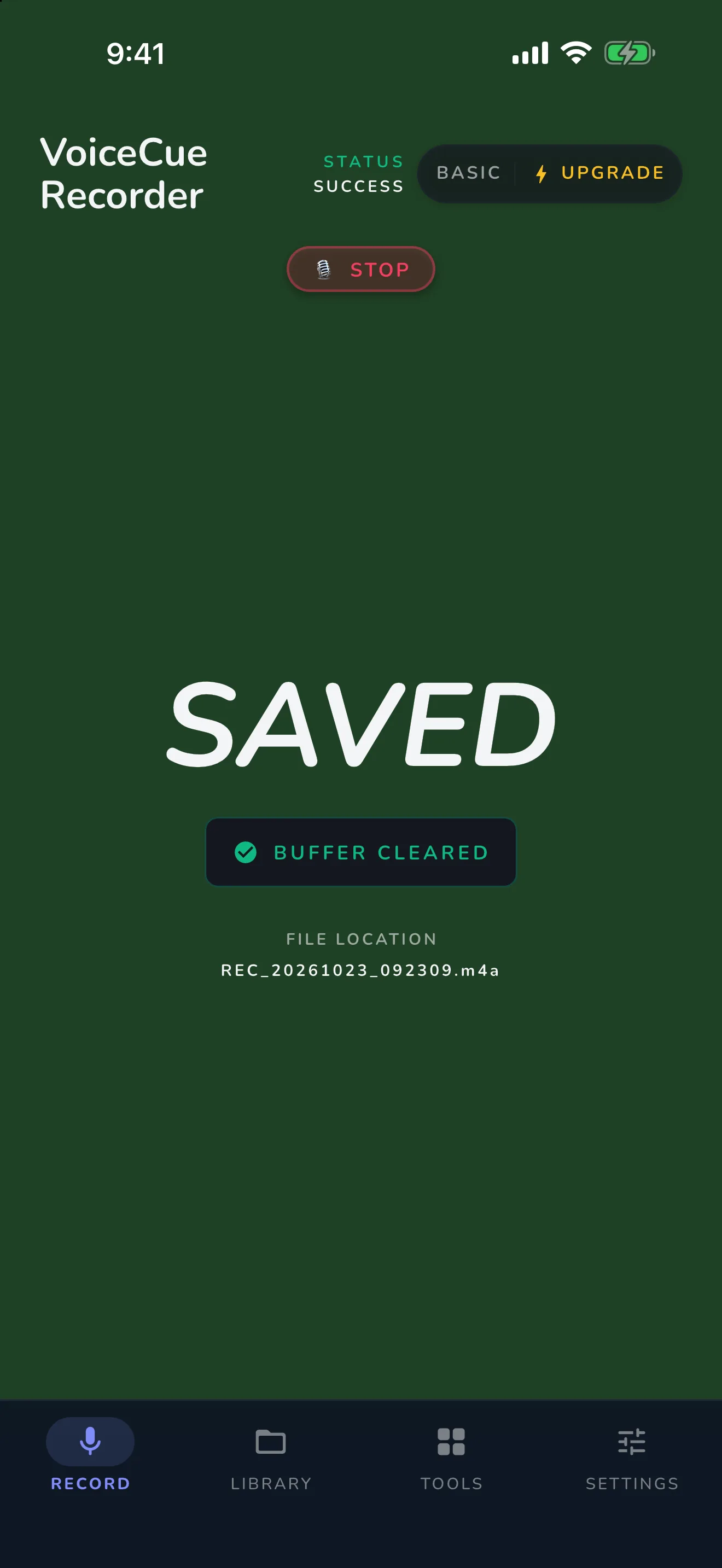
“STOP”
Ends the take and auto-saves it to your Studio Library, with the spoken command trimmed off.
And more, where they belong: “SNAP” bookmarks a moment · “GO NEXT” / “GO BACK” turns sheet-music pages · “GO UP” / “GO DOWN” transposes warmups · “GO FASTER” / “GO SLOWER” adjusts tempo — all by voice.
Built for the practice room
Dual mode recording
HD video + audio when you want to check posture and form, or lean audio-only (WAV/M4A) for pure sound.
Readable from your stand
High-contrast dark and light modes designed to be read from 3–4 feet away, mid-piece.
Studio Library & player
Every take saved and organized. Scrub waveforms, jump to bookmarks, and slow playback to 0.5x (or up to 2.0x) to study a passage.
Made for your instrument
Profiles filter the toolkit for vocals, guitar & bass, strings, piano, drums, or speech.
One app, the whole practice toolkit
Start free. Unlock Premium or Pro once and own it forever — no subscriptions or monthly bills.
- Unlimited hands-free audio recording
- Photo capture by voice (“SNAP”)
- Practice Timer & Log
- Audio Extractor & Trimmer
- Video Trimmer
- 25 trial sessions — one shared pool for video & every Premium/Pro tool
- Smart Sheet Music Reader — pages turn by voice while you record
- Advanced Metronome with subdivisions & Gap-Click
- Chromatic Tuner — chromatic by default, with instrument filter chips (violin, cello & more)
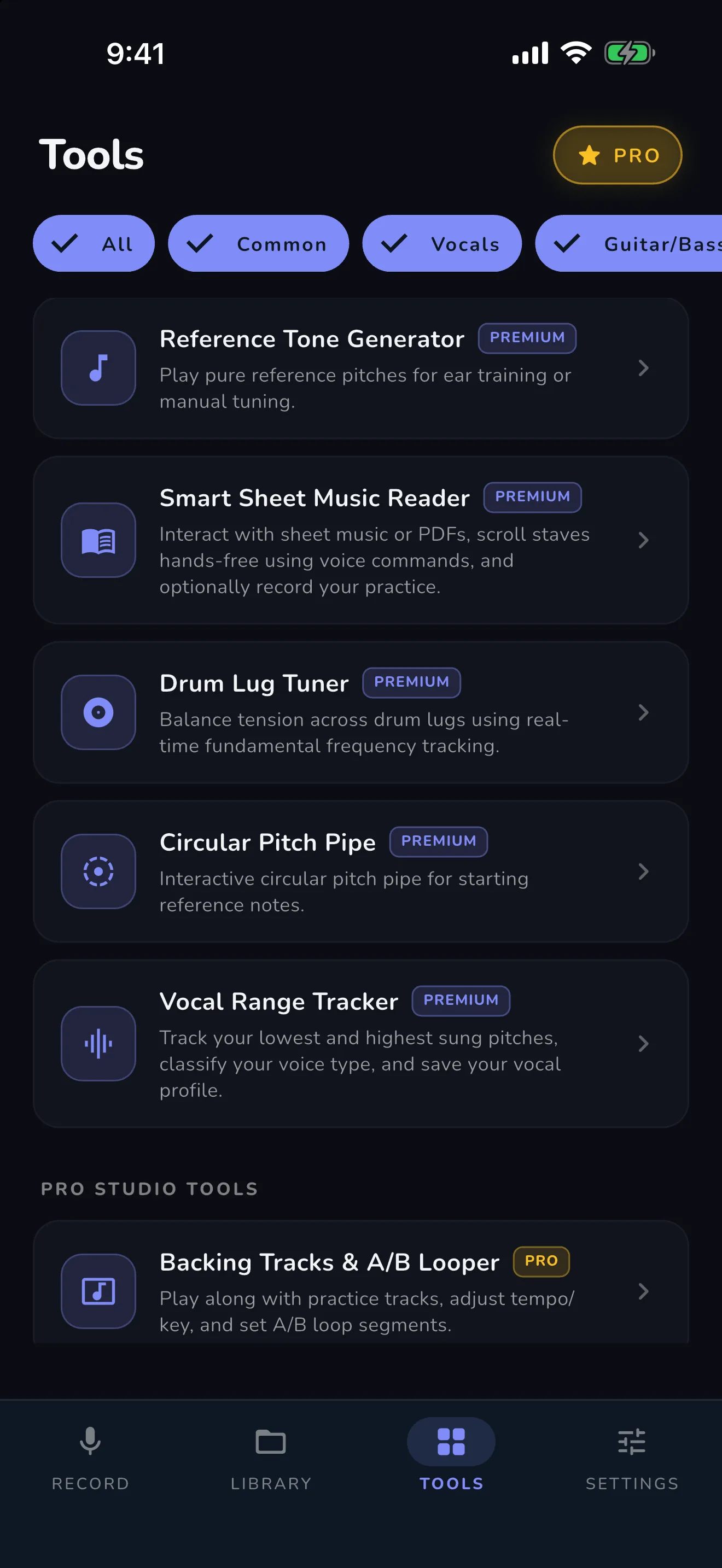
- Vocal Range Tracker
- Smart Lesson Folders — submit takes to your teacher in one tap
- Live Bookmarks (say “SNAP” mid-take)
- Intonation Practice Drone
- Reference Tone Generator
- Circular Pitch Pipe
- Drum Lug Tuner
- Unlimited video recording
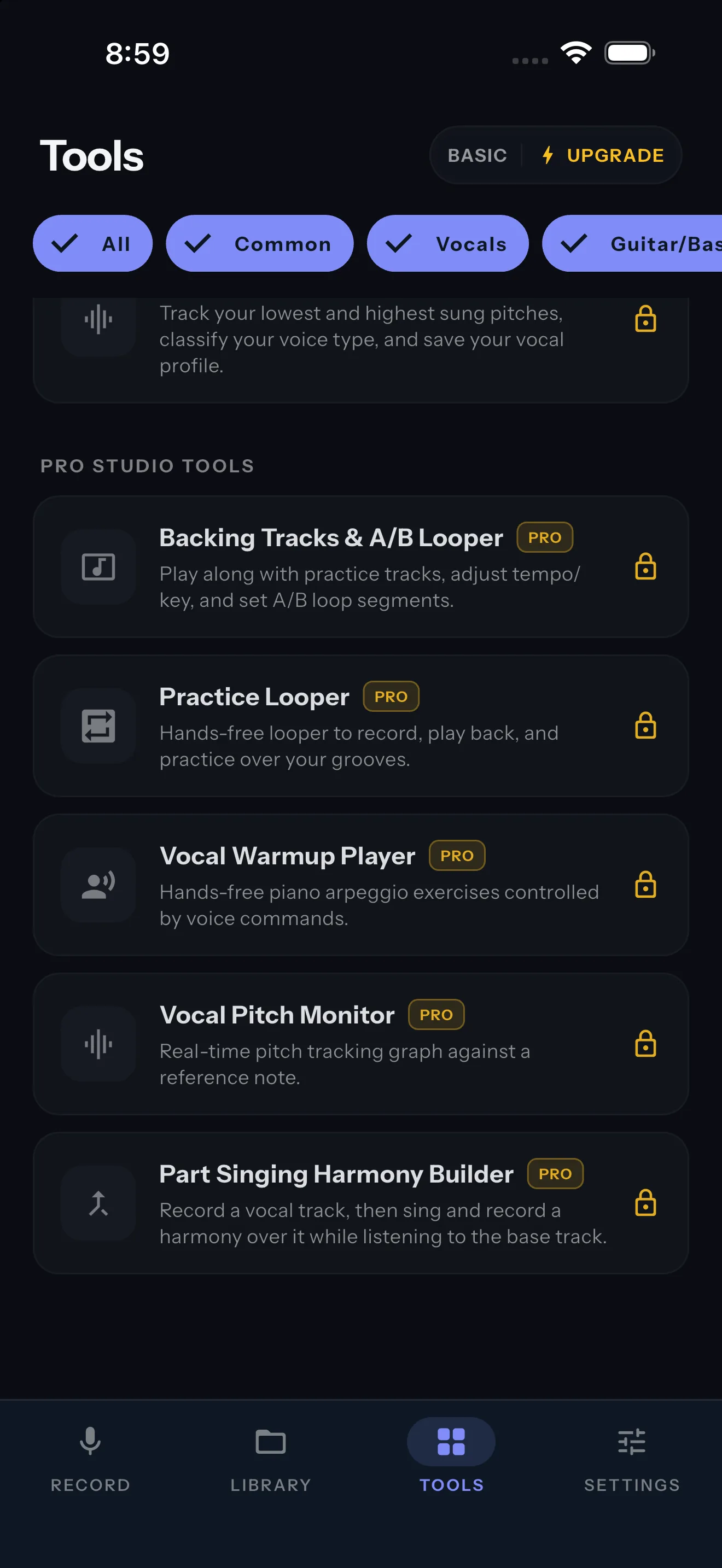
- Vocal Warmup Player — scales transpose by voice
- Vocal Pitch Monitor
- Part-Singing Harmony Builder
- Backing Tracks & A/B Looper
- Practice Looper
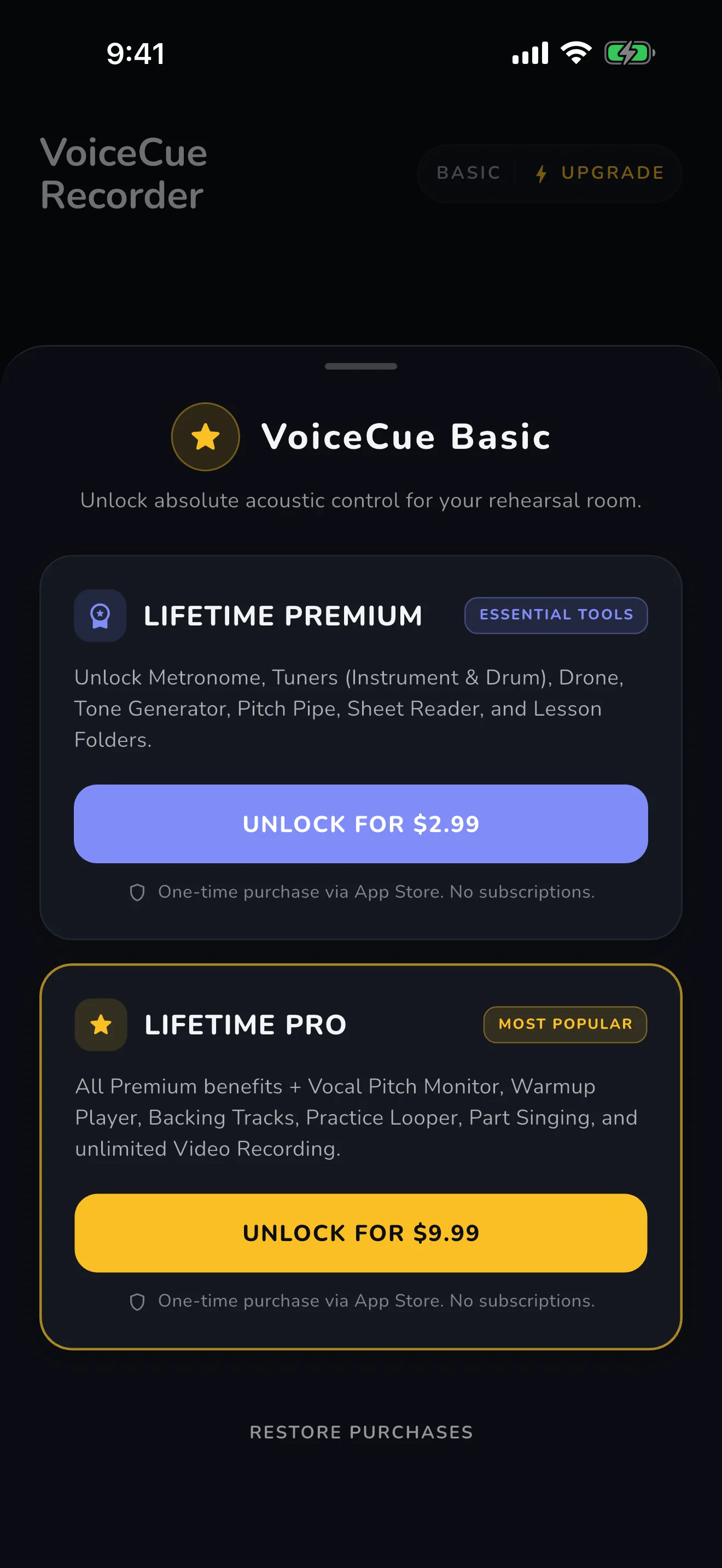
Straight from the app: one-time purchase. No subscriptions.
Private by design
No accounts. No cloud. Voice commands are detected on your device with zero latency, and every recording stays in your local storage. Start recording the second you open the app — there’s nothing to sign up for.
For music schools: Premium FREE for every student
Partner schools get full Premium unlocked for all enrolled students — lesson folders, practice logs, and one-tap submissions that make homework accountable. Bring VoiceCue to your whole studio.
Inside the app
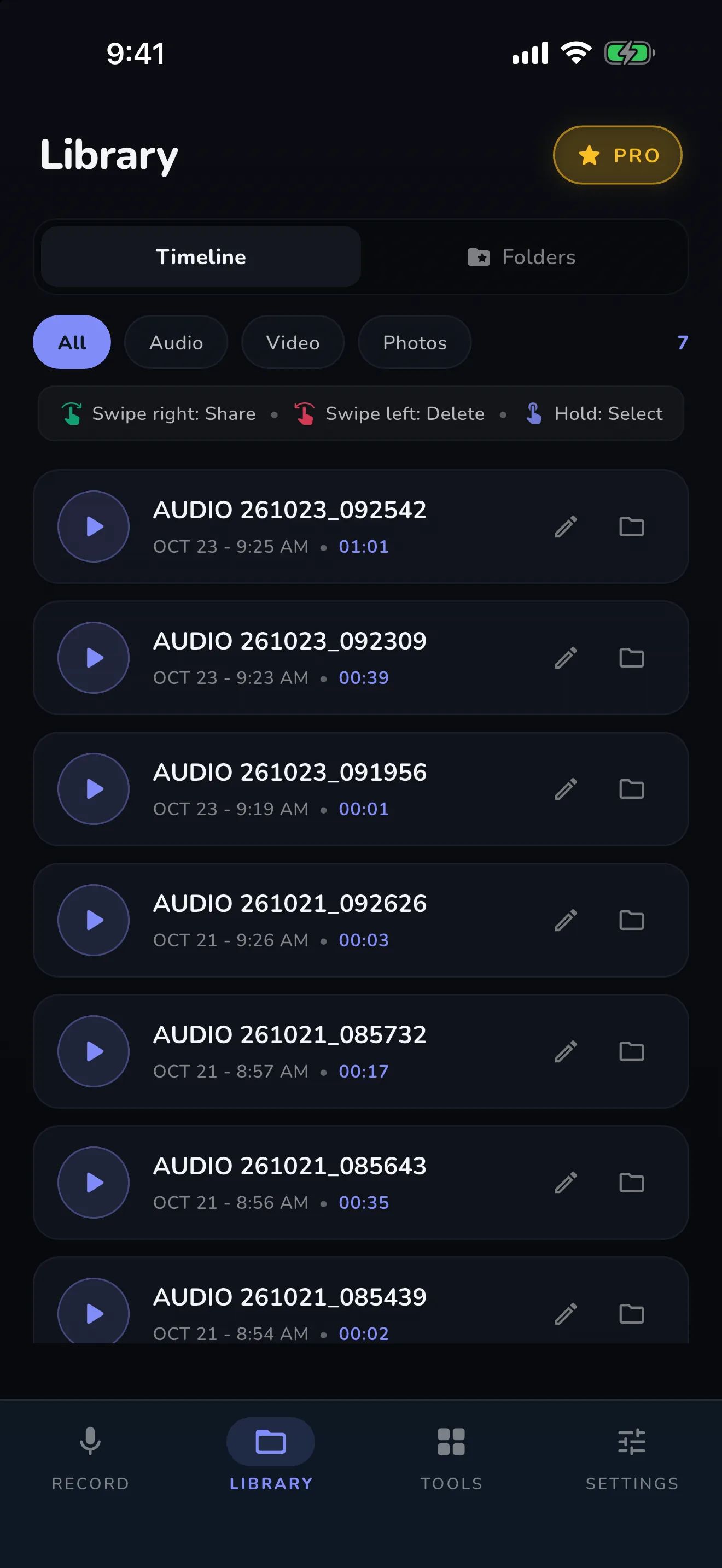
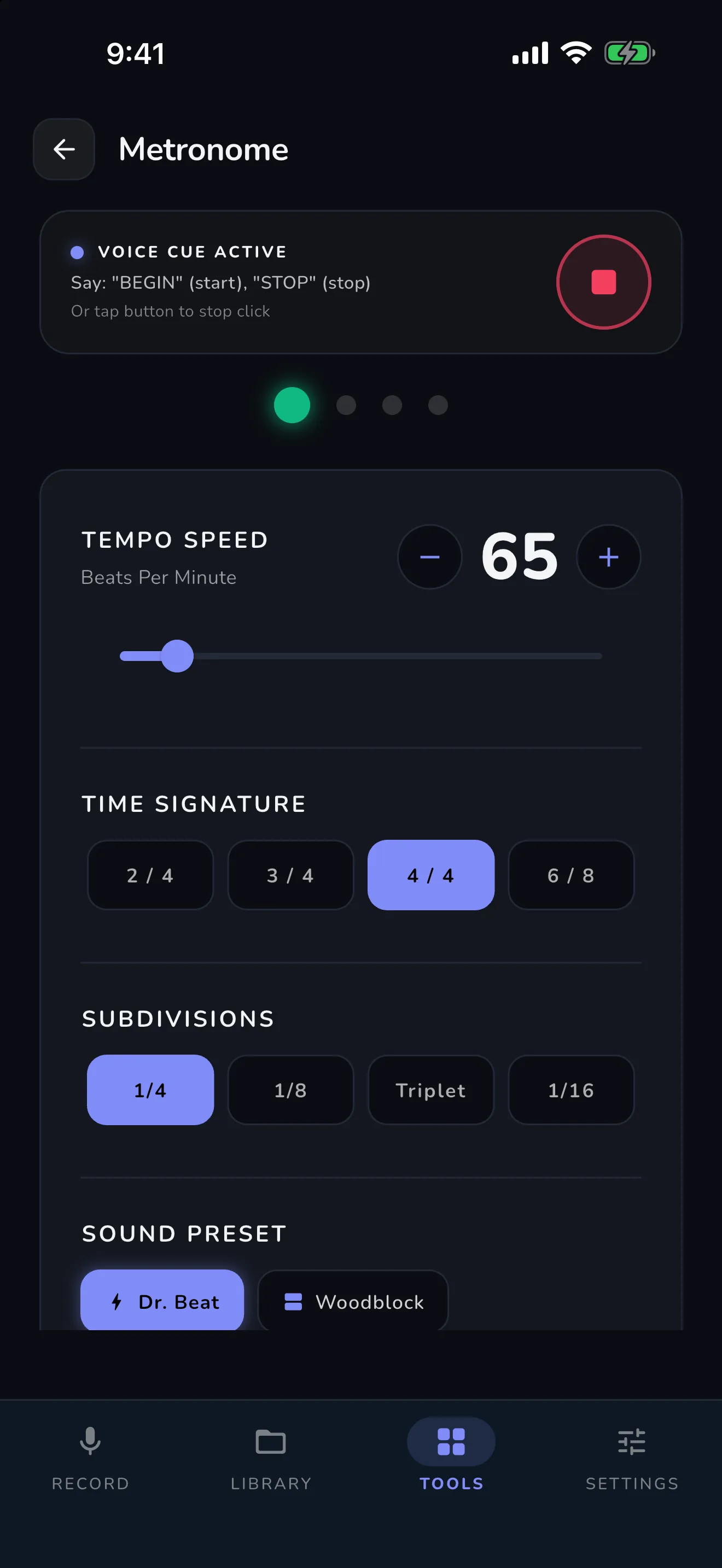
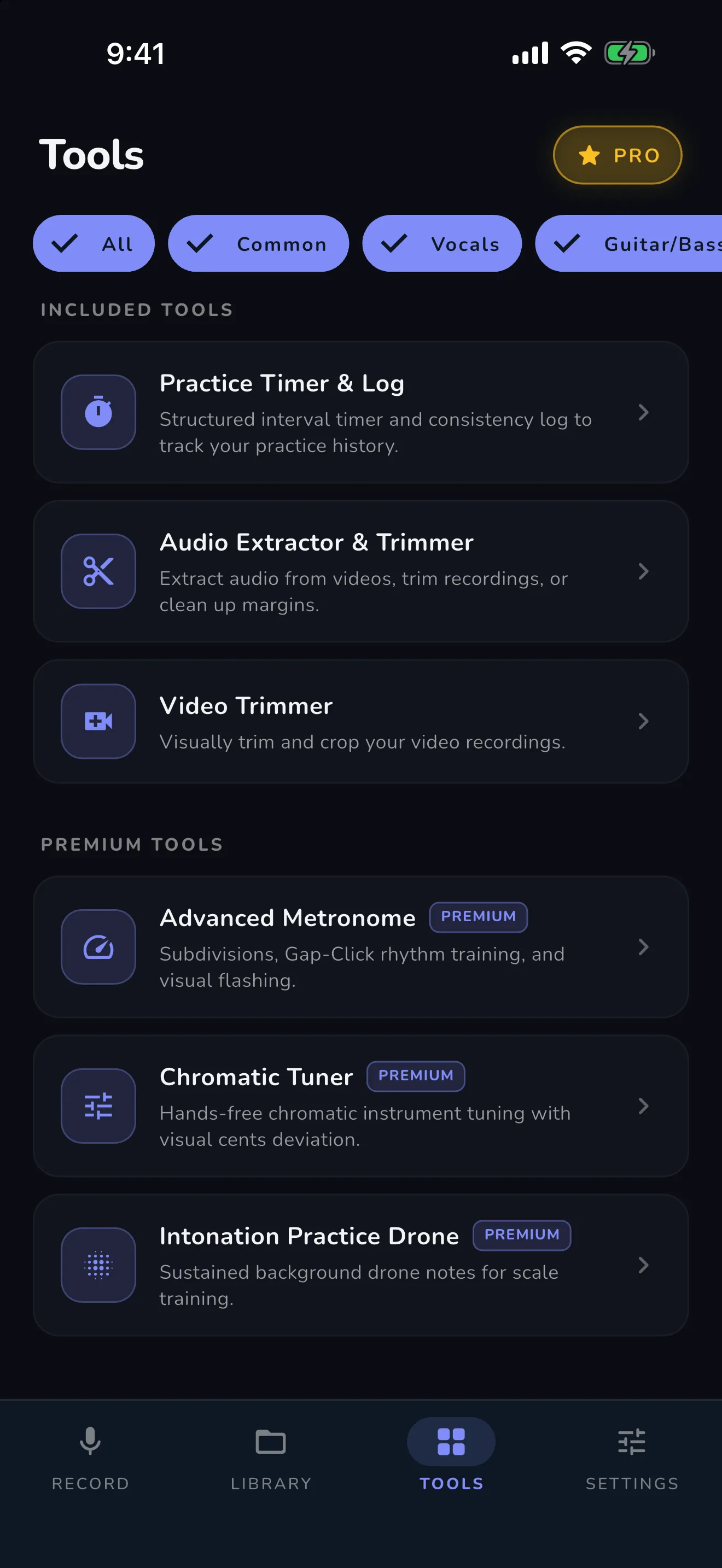
Guides & comparisons
Straight answers to the questions musicians actually ask about hands-free recording.
Voice recorder app with voice commands
Every command in one table — BEGIN, DISCARD, STOP, SNAP, page turns, tempo — and how on-device voice control works. Yes, a recorder can start and stop by voice.
See all voice commands →Record piano practice without touching your phone
The stand setup and session flow for pianists: both hands and the pedals stay where they belong while your voice runs the recorder.
Read the piano guide →Record violin lessons hands-free
Bow hand, violin hand — nothing is free. Hands-free lesson recording for strings, plus the violin tuner chips and intonation tools.
Read the violin guide →VoiceCue Recorder vs Apple Voice Memos
An honest comparison for musicians: where the built-in recorder is the right tool, and where voice control changes everything.
See the comparison →Questions
Does VoiceCue need an internet connection?
No. Voice recognition runs entirely on your device, so it works in any practice room, studio, or stage — and responds instantly.
Which devices does it run on?
iPhone and iPad (iOS 15.6 or later) and Android phones and tablets. The same voice commands work on both.
Is it a subscription?
Never. The free tier is free forever, and Premium ($2.99) and Pro ($9.99) are single one-time purchases. Own it forever.
How does DISCARD work?
Say “DISCARD” mid-take and VoiceCue throws the take away and starts a fresh recording instantly — no touching, no menus. It’s the fastest way to restart when a take goes wrong.
Where do my recordings live?
On your device, in the app’s Studio Library. Nothing is uploaded anywhere — your practice is your business.
How can I record my practice without touching my phone?
Put your phone or tablet on your music stand and use your voice: say “BEGIN” to start, “DISCARD” for an instant retake, and “STOP” to save. VoiceCue listens for commands on-device, so your hands never leave the instrument — that’s what it was built for.
Which instruments and singers is VoiceCue for?
Any. VoiceCue was built for music students and musicians generally — piano, strings, winds, brass, guitar, drums and voice. If your hands are busy playing or your eyes are on the sheet music, hands-free recording helps.
What voice commands does VoiceCue understand?
The core commands are “BEGIN” (start recording), “DISCARD” (instant retake), “STOP” (save) and “SNAP” (photo or bookmark). Tools add more: “GO NEXT” and “GO BACK” turn sheet-music pages, and tempo and warmup commands adjust playback — all recognized on your device, with no internet needed.
Does VoiceCue include a metronome and a tuner?
Yes, in Premium ($2.99, one-time). The Advanced Metronome includes subdivisions and Gap-Click. The Chromatic Tuner is chromatic by default, with instrument filter chips — select violin, cello or another instrument and it shows only the notes relevant to that instrument.
What’s included in the free version?
Unlimited hands-free audio recording, photo capture by voice, the Practice Timer & Log, the Audio Extractor & Trimmer and the Video Trimmer. You also get 25 trial sessions in one shared pool to try video recording and every Premium and Pro tool before you buy anything.
Can my teacher receive my recordings?
Yes. With Premium’s Lesson Folders, takes are filed by teacher and submitted in one tap over WhatsApp or email. Files arrive auto-named with the lesson name and date, with an optional note from you. Teachers receive the audio (m4a) or video (mp4) file itself — bookmarks are local to your phone and don’t travel with shared files.
How do I show my teacher my practice log?
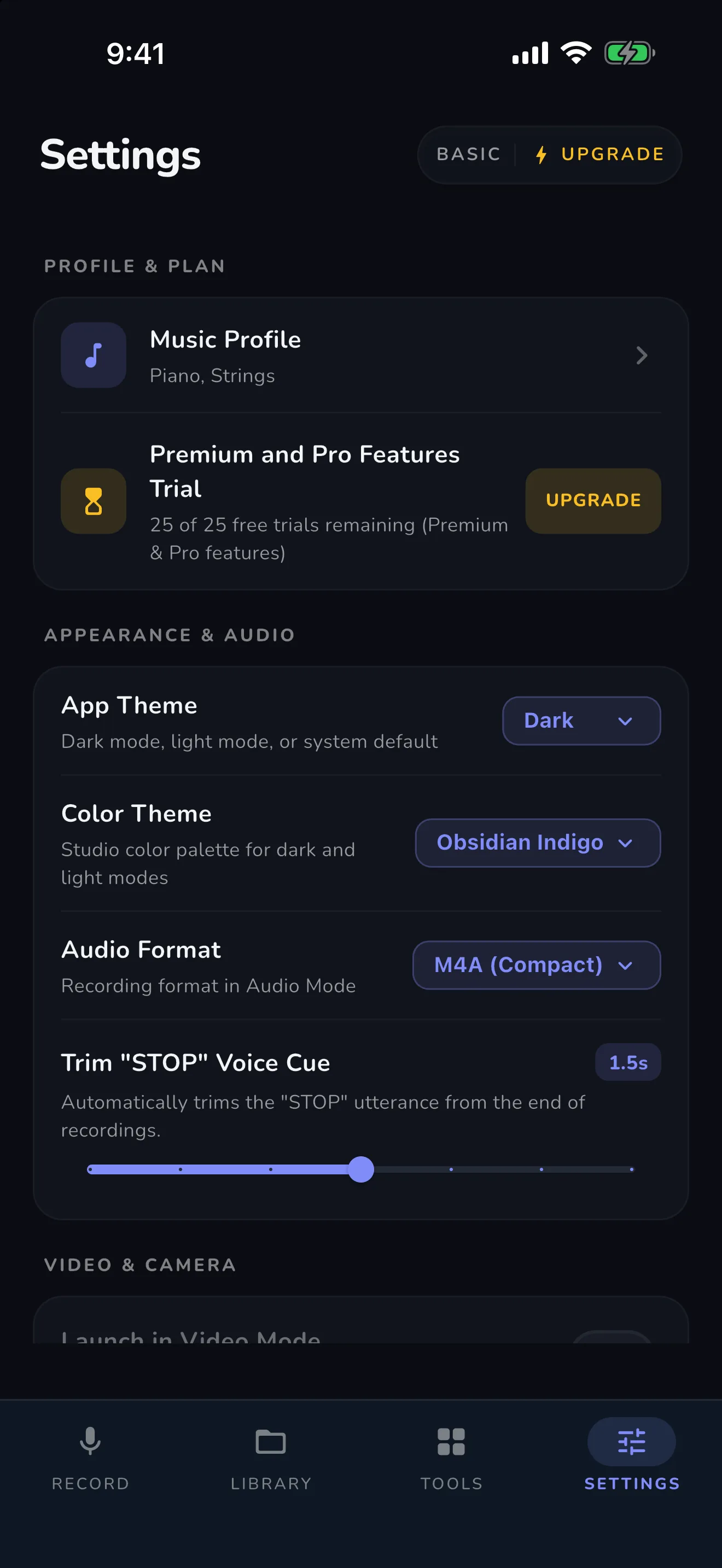
The Practice Timer & Log is free and lives on your device. Share a screenshot of your practice log page with your teacher over WhatsApp or email — that’s how teachers and parents check in on practice between lessons.
Is there a free workaround with Voice Memos and iOS Vocal Shortcuts?
There is, and it is worth knowing about: iOS Vocal Shortcuts can train a phrase to run a Shortcut that starts and stops Voice Memos. It is free, but it is an assembly rather than a feature — recognition struggles over music, activation has a delay, a locked phone can block it, and there is no mid-take retake. VoiceCue’s free tier is the built-in version of the same idea: open the app and say “BEGIN”, “DISCARD”, “STOP” — no setup, on iPhone and Android.